
For window, door & glass contractors
Stop losing job details, measurements and quotations.
Record the visit, prepare the quote and find everything later — in one simple workflow.
Fenipax is in development & testing.
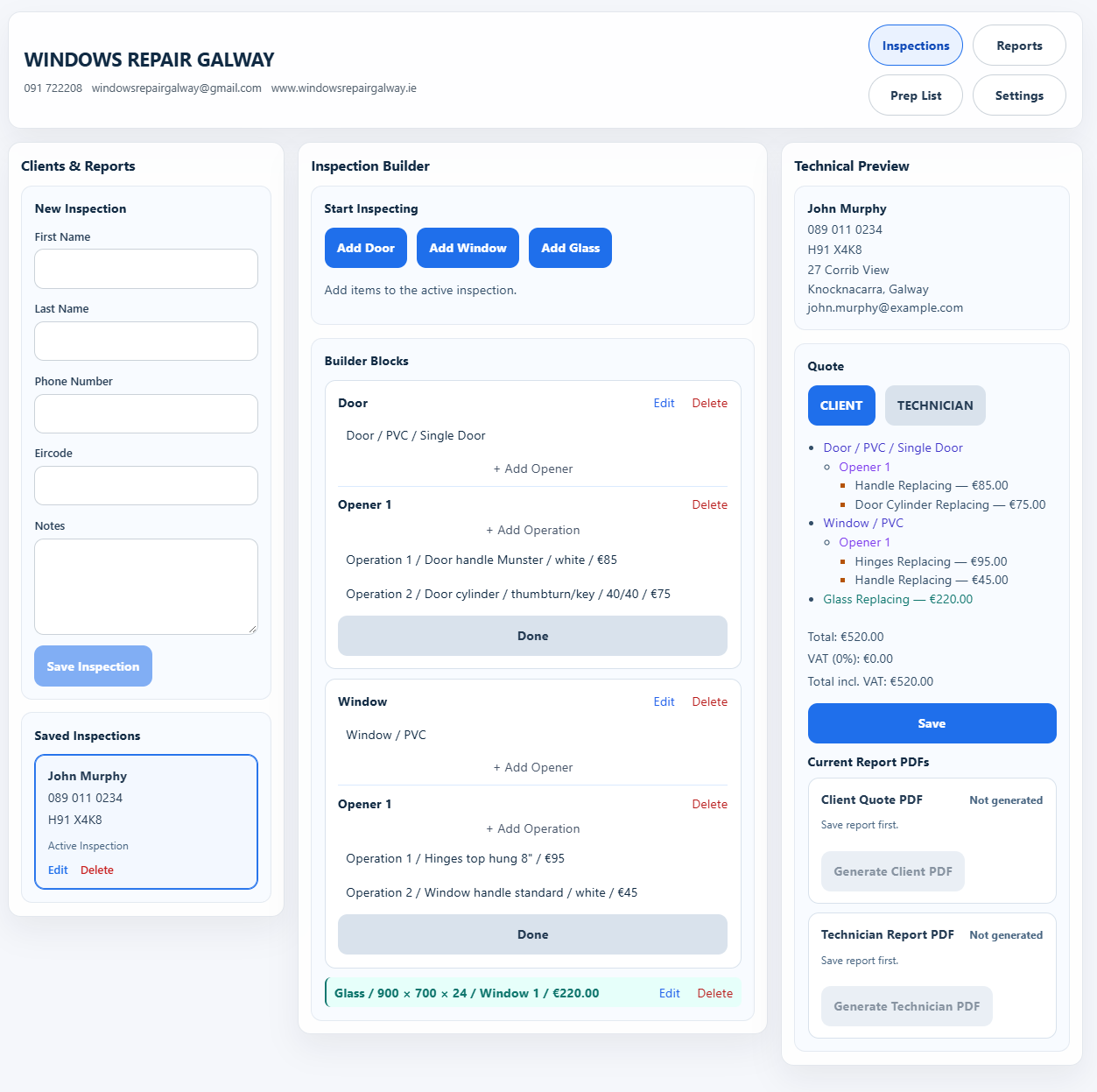
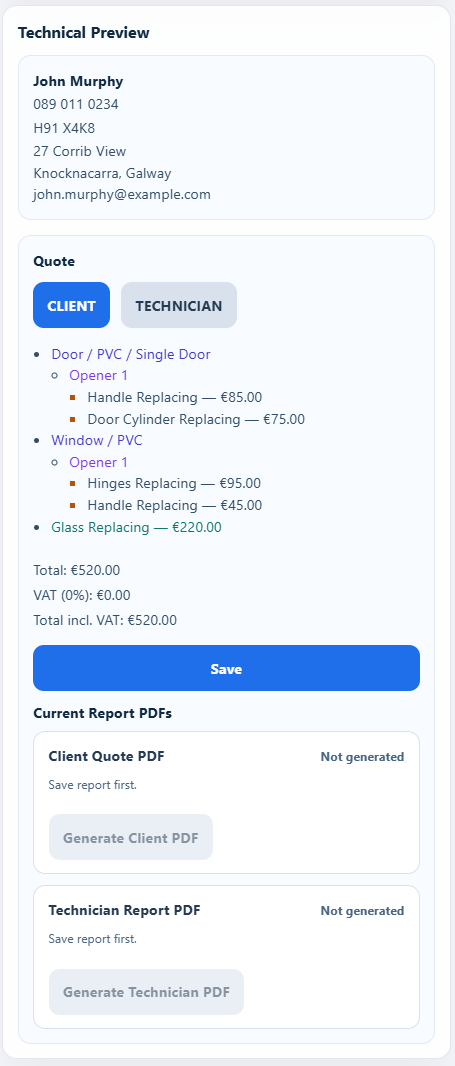
Select a screen to take a closer look.
Sound familiar?
The usual
problem.
You did the visit.
Now, where did you put the details?
- Notes on loose paper.
- Measurements in different places.
- Was it the lock, gearbox or hinge?
- Prices kept in your head.
- Customer details you can’t find.
- Another visit to check what you missed.
A closer look at Fenipax
The job, step by step.
Actual screens from the current build.
Open any screenshot to see the detail.
01 Add the customer
Start with a name.
Keep the job with it.
Add the customer’s name, phone number, Eircode and notes. Save the inspection so you have a record to come back to.
A place for the details from the very start.

02 Record the job properly
The important details.
While you’re still there.
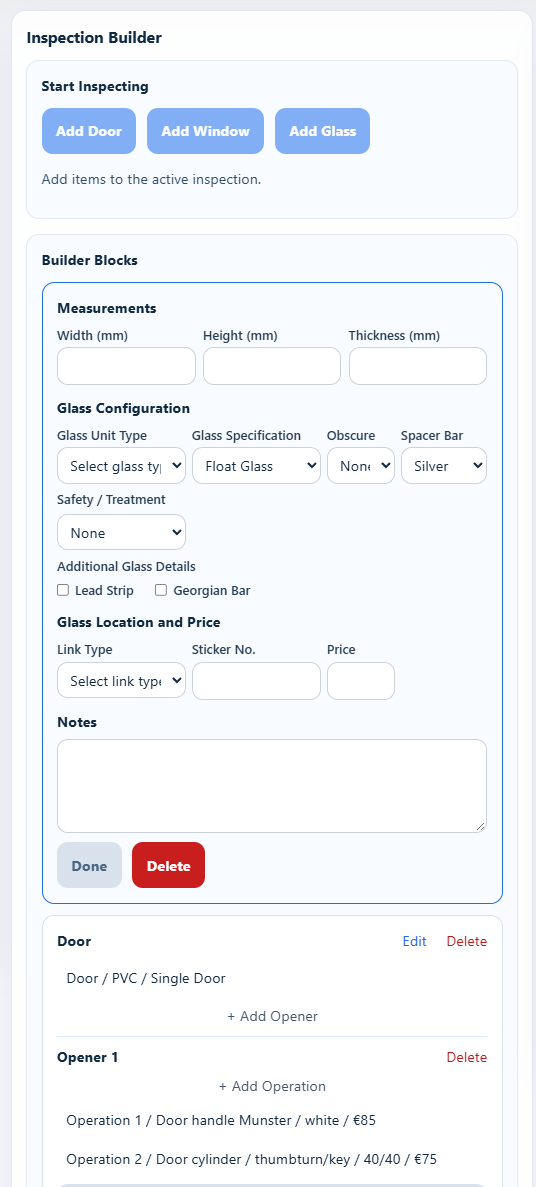
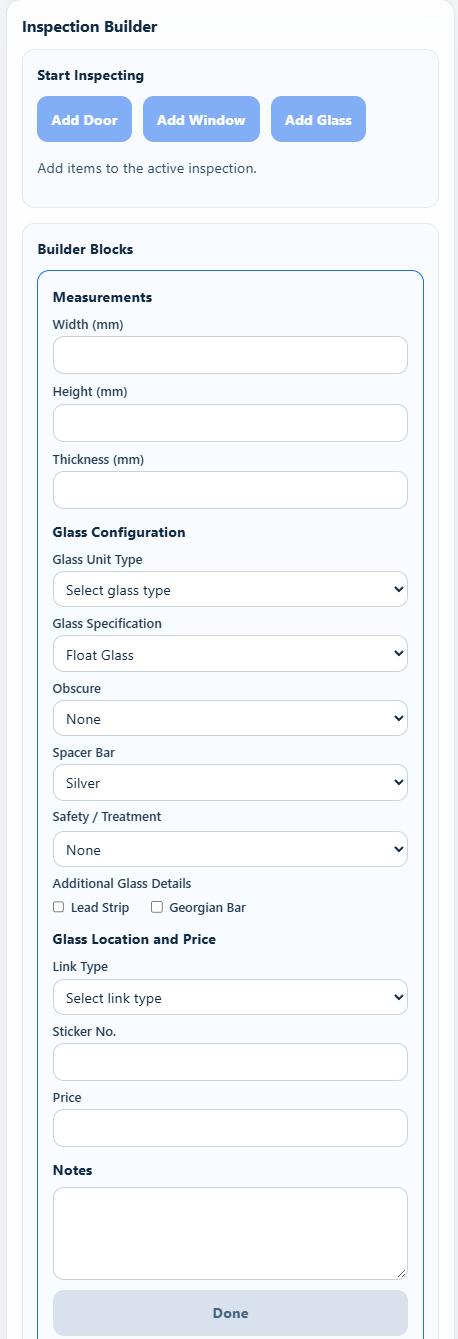
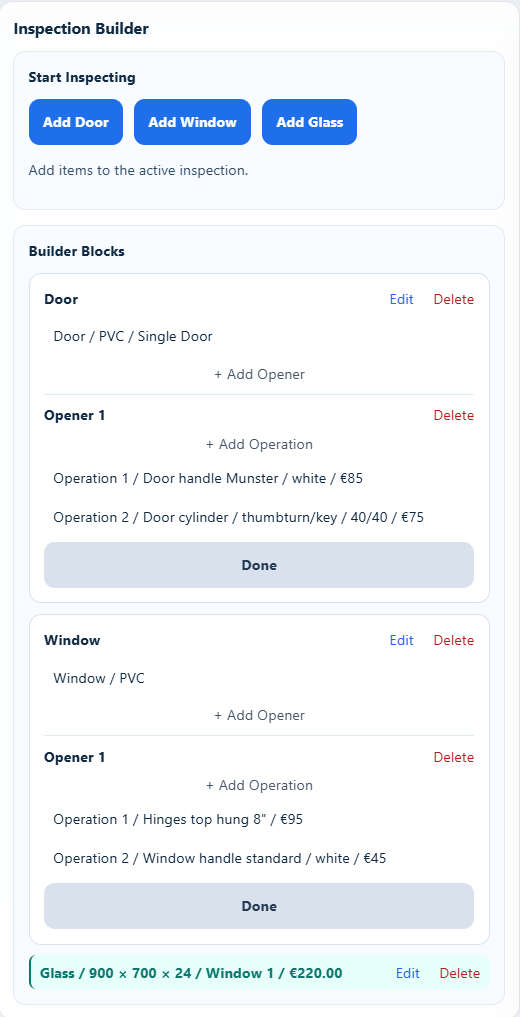
Work through the measurements and the specification. Record the glass type, spacer bar, treatment and any notes while you’re with the customer.
Fenipax gives the visit a structure, helping you capture the information needed for the work.
Width. Height. Thickness. The details that matter.
03 Prepare the quotation
The work you record.
The quote you need.
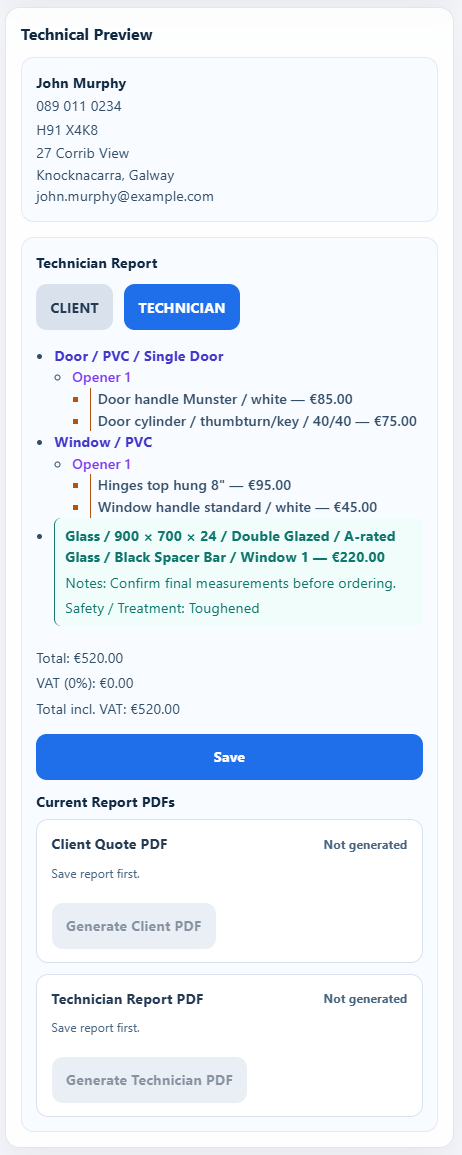
Choose the work, parts or services. Your selections carry into the quotation, with prices you’ve already configured in Fenipax.
A clear quote for the customer. A detailed report for you, with the parts and measurements behind the work.
You don’t have to keep every price in your head.
04 Find the job later
They call back.
You have the record.
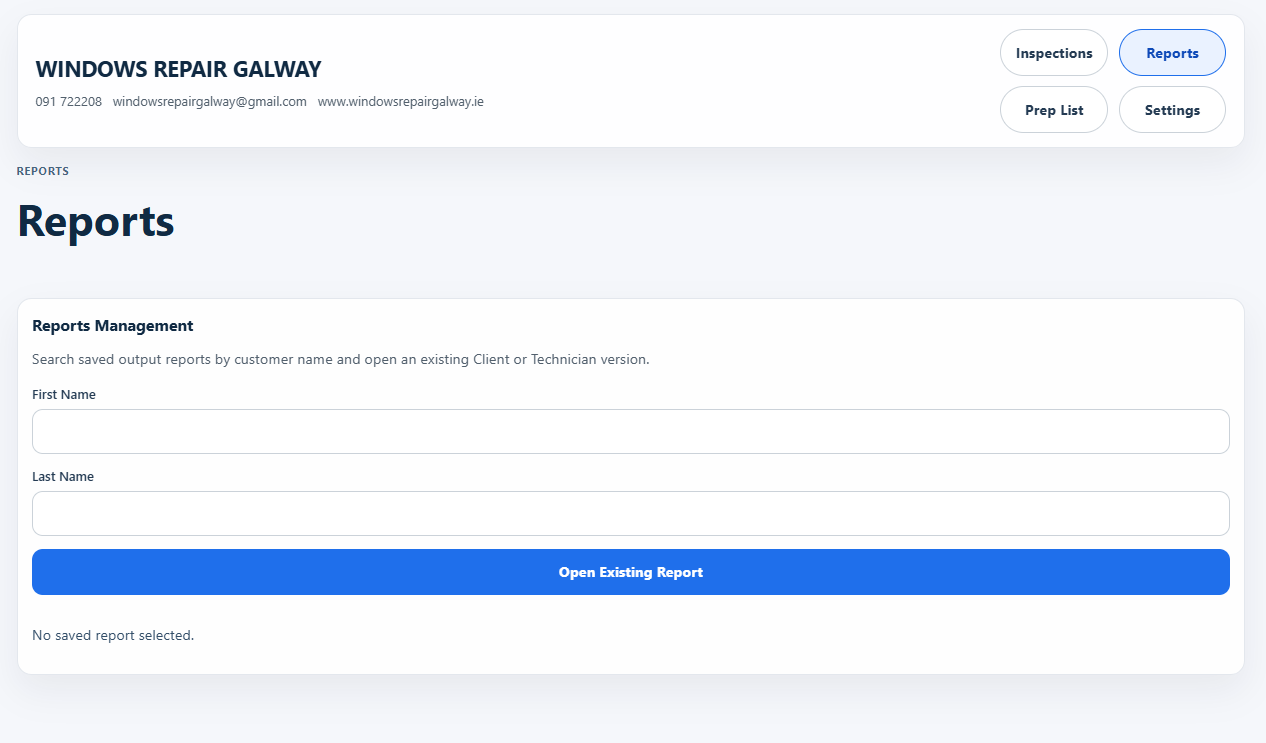
Search saved reports by the customer’s name and open the customer or technician version when you need it.
No loose sheet. No searching through notebooks.
05 Print on site
Print the quote before you leave.
With a compatible compact printer carried in the van, you can print the quotation and discuss it with the customer there and then.
Leave the customer with the quote in hand.

The Fenipax approach
Built around the way
contractors actually work.
Fenipax connects the site visit, job details and quotation in one practical workflow. Keep the information together, from the customer’s door to the next time they call.
Read the Fenipax StoryEarly access
Interested in trying Fenipax in your company?
Tell us how you currently handle inspections and quotations. We’d like to hear what would make your working day easier.
Request early access